Featured Snippet
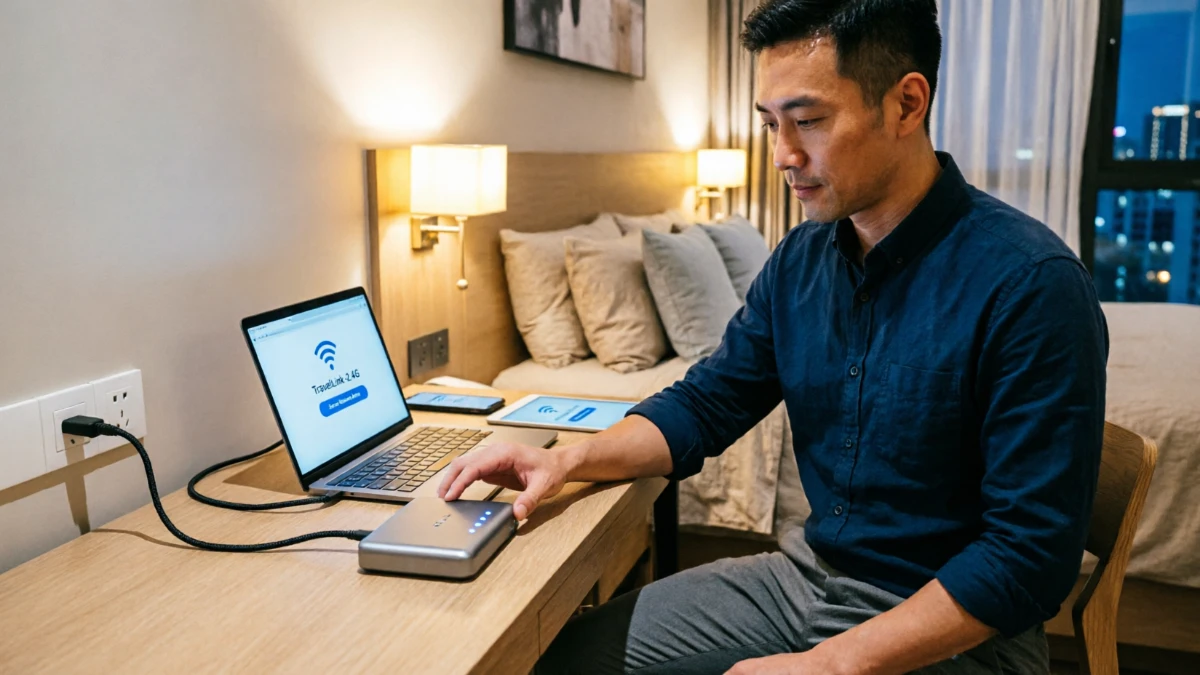
A travel router is a compact wireless router designed for travelers who need secure, reliable internet while staying in hotels, airports, vacation rentals, cruise ships, or remote destinations. It creates a private Wi-Fi network using an existing internet connection and often includes security features such as VPN support.
Travel routers work almost anywhere with internet access. They are especially useful for business travelers, digital nomads, families, and anyone concerned about online security while traveling.
You finally arrive at your hotel after a long flight. The room looks great, but the Wi-Fi is slow, unreliable, and requires every device to sign in separately. Public networks at airports, cafés, and hotels can also expose personal information to cyber threats.
This is where understanding what is a travel router becomes important. A travel router can transform a frustrating internet experience into a secure, convenient connection for all your devices. Whether you’re exploring national parks, working remotely from a beach town, taking a family road trip, or flying across the country, this small device can make travel smoother and safer.
This guide explains exactly what a travel router is, how it works, who needs one, common mistakes to avoid, and whether it is worth packing on your next trip.
Quick Facts About Travel Routers

A travel router is essentially a portable networking device designed to create a private internet connection while you’re away from home. Most models fit in a backpack pocket and weigh less than a smartphone charger.
| Quick Fact | Details |
| Primary Purpose | Secure internet access while traveling |
| Typical Size | Pocket-sized |
| Power Source | USB or USB-C |
| Best For | Travelers, remote workers, families |
| Security Benefit | Private network creation |
| Common Features | VPN, hotspot sharing, Ethernet support |
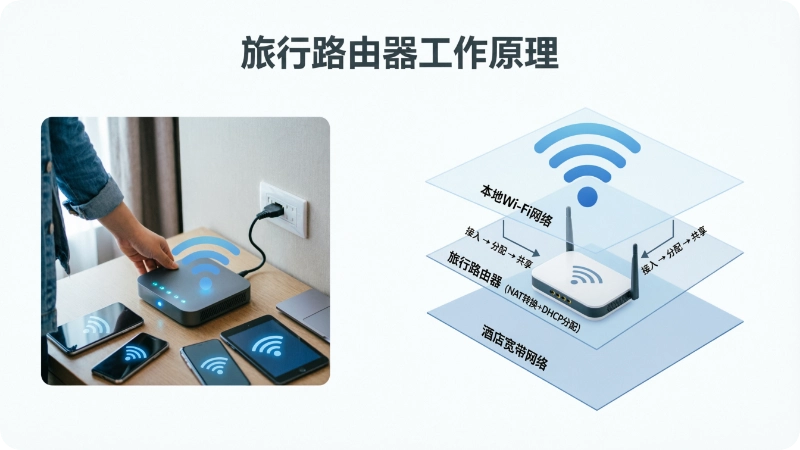
How Does a Travel Router Work?
How to Use a Travel Router
- Connect the travel router to hotel, airport, or public Wi-Fi.
- Set up your private wireless network.
- Connect your devices to the travel router.
- Enable VPN protection if available.
- Browse, stream, and work securely.
| Feature | Travel Router | Regular Router |
| Size | Pocket-sized | Larger |
| Portability | Excellent | Limited |
| Travel-Friendly | Yes | No |
| Hotel Wi-Fi Support | Yes | Sometimes |
| Power Requirements | USB-powered | Standard outlet |
A travel router acts as a middle layer between your devices and an internet source. Instead of connecting your phone, laptop, tablet, and streaming device directly to public Wi-Fi, they connect to the travel router.
The router then connects to the available internet source and shares that connection securely across all your devices.
Common Internet Sources
- Hotel Wi-Fi
- Airport Wi-Fi
- Cruise ship internet
- RV campground internet
- Mobile hotspot
- Ethernet connections
- Vacation rental internet
This setup simplifies connectivity while improving privacy.
Why Travelers Use Travel Routers
Travel routers solve several common travel frustrations at once.
Major Benefits
✅ Better security
✅ One login for multiple devices
✅ Easier device management
✅ VPN compatibility
✅ Consistent internet access
✅ Reduced setup time
Many hotels limit the number of devices that can connect to their network. A travel router often allows multiple devices to appear as a single connection.
Who Should Buy a Travel Router?
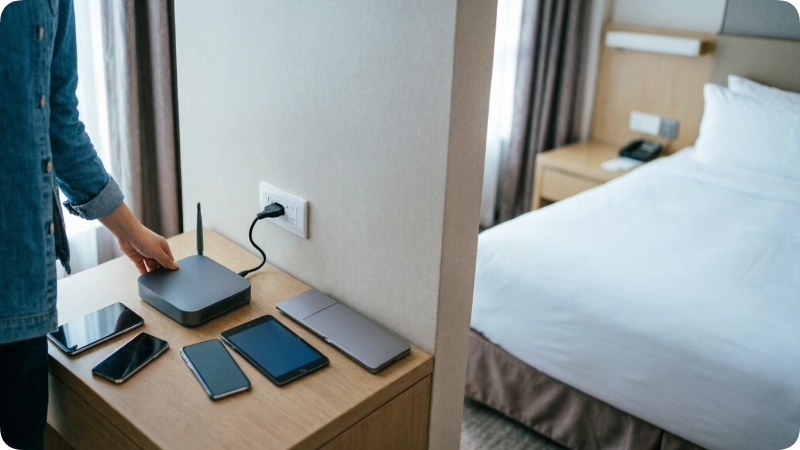
Travel routers are not necessary for every traveler, but they are valuable for many situations.
Best For
- Business travelers
- Digital nomads
- Families with multiple devices
- RV travelers
- International travelers
- Cruise passengers
- Content creators
May Not Be Necessary For
- Travelers taking short weekend trips
- People using only one device
- Travelers relying solely on mobile data
Travel Router vs Mobile Hotspot
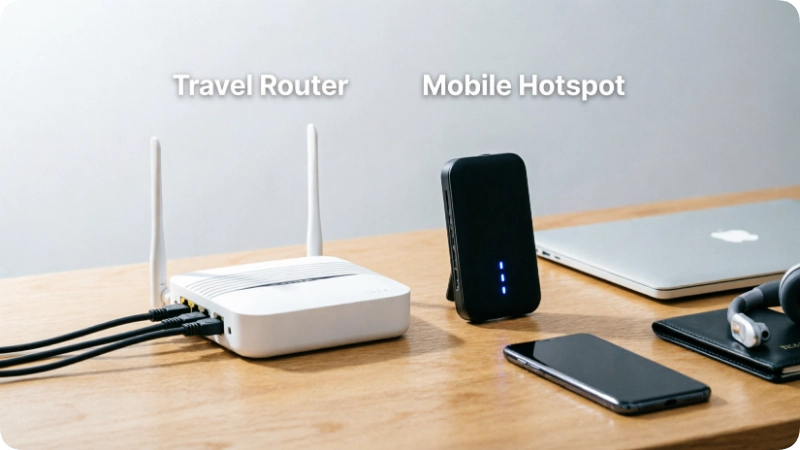
Many travelers confuse travel routers with mobile hotspots.
Key Difference
A travel router usually shares an existing internet connection. A mobile hotspot creates internet access using a cellular network.
| Feature | Travel Router | Mobile Hotspot |
| Uses Existing Wi-Fi | Yes | No |
| Requires Cellular Plan | No | Yes |
| Creates Private Network | Yes | Yes |
| Useful Internationally | Yes | Depends on plan |
| VPN Support | Often | Limited |
The best setup often combines both devices.
Why Travel Routers Improve Security
Public Wi-Fi networks are convenient but can present security risks.
According to guidance from the Transportation Security Administration and cybersecurity experts, travelers should be cautious when using unsecured networks.
A travel router helps by:
- Creating a private network
- Encrypting traffic through VPN services
- Reducing direct exposure to public networks
- Limiting unauthorized device access
Insider Tip #1
Enable a VPN directly on the travel router so every connected device receives protection automatically.
Best Travel Situations for a Travel Router
Travel routers shine in environments where internet access is shared or restricted.
Hotels
Many hotels charge for premium internet or limit device connections.
Airports
Public Wi-Fi can become crowded and insecure.
Cruise Ships
Cruise internet plans often charge per device.
Vacation Rentals
Older rental properties sometimes have weak networking equipment.
RV Travel
Campground Wi-Fi varies significantly in quality.
Travel Router Features Worth Looking For
Not all travel routers offer the same capabilities.
Important Features
Dual-Band Wi-Fi
Supports both 2.4 GHz and 5 GHz networks.
VPN Support
Adds privacy and security.
USB-C Power
Makes charging easier.
Ethernet Port
Useful for hotels and conference centers.
Multiple Device Support
Connect phones, tablets, laptops, and smart devices.
Insider Tip #2
Look for USB-C-powered models to reduce the number of chargers you carry.
Common Mistakes Travelers Make
Many first-time users overlook simple setup details.
Mistake #1: Waiting Until the Trip
Fix: Configure the router at home before departure.
Mistake #2: Forgetting Firmware Updates
Fix: Update software before every major trip.
Mistake #3: Ignoring Security Settings
Fix: Change default passwords immediately.
Insider Tip #3
Create a memorable network name before leaving home to simplify setup during travel.
Travel Router Benefits for Families
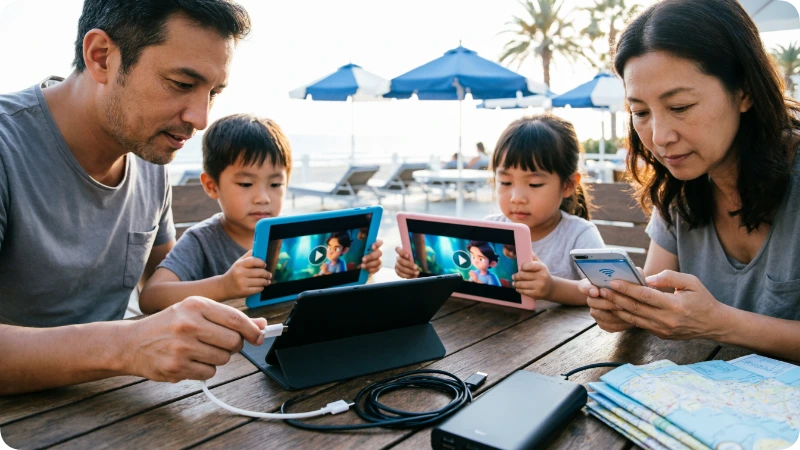
Families often travel with numerous connected devices.
A typical family vacation may involve:
- Smartphones
- Tablets
- Laptops
- Streaming devices
- Gaming systems
A travel router helps manage these devices under one secure connection.
Time-Saving Tip
Parents can avoid repeatedly entering hotel login credentials on every device.
Travel Router Benefits for Digital Nomads
Remote workers depend on stable internet access.
A travel router can help:
- Maintain consistent device connections
- Improve cybersecurity practices
- Simplify remote work setups
- Connect to coworking spaces
Insider Tip #4
Keep a small Ethernet cable in your travel bag. Some hotels still provide faster wired connections.
Is a Travel Router Useful for International Travel?
Yes. International travelers often encounter unfamiliar networks, language barriers, and varying internet standards.
Travel routers help by:
- Maintaining the same private network name everywhere
- Reducing setup time
- Supporting VPN services
- Connecting multiple devices
Popular Travel Destinations Where They Help
- Japan
- Italy
- Thailand
- France
- Mexico
Are Travel Routers Allowed on Airplanes?
Travel routers are generally permitted in carry-on luggage.
However:
- Airline policies can vary.
- Some airlines restrict device usage during certain flight phases.
- In-flight internet systems may have connection limitations.
Always verify current rules with your airline before departure.
Packing Tips for Travel Router Users
Travel routers take up little space, but smart packing improves convenience.
Recommended Accessories
- USB-C charging cable
- Compact wall adapter
- Ethernet cable
- Portable battery pack
- Travel organizer pouch
Insider Tip #5
Store your router with your passport, charger, and power adapter so you never forget it.
Hidden Advantages Most Travelers Miss
Many travelers buy travel routers for security but discover additional benefits.
Hidden Gem #1
Some hotel smart TVs block direct device connections. Travel routers often solve this problem.
Hidden Gem #2
Vacation rental Wi-Fi can be inconsistent. A travel router sometimes improves connection management.
Hidden Gem #3
Many conference centers offer wired internet that can outperform Wi-Fi.
Alternatives to Travel Routers
A travel router is not the only connectivity solution.
Alternative 1: Mobile Hotspots
Best for areas with strong cellular coverage.
Alternative 2: Smartphone Hotspots
Convenient but may drain battery life quickly.
Alternative 3: eSIM Data Plans
Useful for international travel.
Underrated Alternative
Many travelers combine eSIM data with a travel router for maximum flexibility.
Honest Drawbacks of Travel Routers
No travel tool is perfect.
Potential Downsides
- Additional item to pack
- Initial setup required
- Learning curve for beginners
- Some hotel networks may block advanced configurations
For most frequent travelers, the advantages outweigh these limitations.
Is a Travel Router Worth It?
For travelers who regularly use public Wi-Fi, manage multiple devices, or work remotely, a travel router is often worth the investment.
Most Valuable For
- Frequent flyers
- Business travelers
- Families
- International tourists
- RV travelers
- Cruise passengers
Less Valuable For
- Occasional travelers
- Single-device users
- Travelers with unlimited mobile data
What Is Overrated and Underrated?
Overrated
Relying solely on public Wi-Fi without security measures.
Underrated
Using a travel router with a VPN.
Most Underrated Feature
Connecting all devices through one secure login process.
How Long Does It Take to Set Up?
Most travel routers can be configured in 5–15 minutes.
Once configured, future setups often take less than 2 minutes because devices automatically reconnect.
This makes them particularly valuable during multi-city trips and long vacations.
Frequently Asked Questions
What is a travel router used for?
A travel router creates a secure private network while traveling. It allows multiple devices to connect through one internet source and often improves privacy when using hotel, airport, or public Wi-Fi.
Can a travel router make hotel Wi-Fi faster?
A travel router cannot increase the speed provided by the hotel. However, it can improve connection stability and simplify device management, making the experience feel smoother.
Do I need a travel router if I have a hotspot?
A hotspot provides internet through cellular service, while a travel router shares existing internet connections. Many frequent travelers use both for maximum flexibility.
Are travel routers safe?
Yes. When configured properly, travel routers improve security by creating a private network and supporting VPN encryption. They are generally safer than connecting directly to public Wi-Fi.
Can multiple devices use one travel router?
Yes. Most travel routers support multiple devices simultaneously, including phones, tablets, laptops, streaming devices, and gaming systems.
Do travel routers work internationally?
Yes. Travel routers work in most countries as long as they have access to a compatible internet source and power connection.
Are travel routers difficult to set up?
Most modern travel routers are beginner-friendly. Initial setup usually takes less than 15 minutes, and future connections are much faster.
Conclusion
A travel router is one of the most practical travel tech tools available today. It improves security, simplifies internet access, and helps travelers connect multiple devices with less hassle.
The biggest takeaways are simple:
- Travel routers create a secure private network.
- They make hotel and public Wi-Fi easier to use.
- They are especially valuable for frequent travelers and remote workers.
Whether you’re planning a cross-country road trip, working remotely from a new city, or preparing for international adventures, a travel router can make every connection more reliable and secure. As internet access becomes more important for modern travel, this small device earns a permanent place in many travelers’ bags.